What Is Generative AI Testing? A Practical Guide for QA Teams
Software testing has run on more or less the same pattern for twenty years. Someone writes a test case. Something executes it. You get a pass or a fail. That pattern is starting to crack, because AI models can now write test cases, generate synthetic data, and produce entire test scripts from a plain-language description of what needs checking. Testers aren’t scripting every scenario by hand anymore. This is what people mean by generative AI testing, or Gen AI testing if you’d rather save a few syllables. Here’s a straight breakdown of what it involves, how teams actually use it, and where the hype gets ahead of the tools.
What Is Generative AI Testing? (Definition)
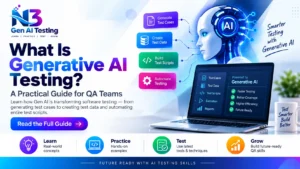
Generative AI testing is the use of large language models to create, adapt, and evaluate test artifacts — test cases, test data, even full scripts — with far less manual scripting than traditional automation demands. Traditional automation runs pre-written scripts exactly as coded, no more and no less. Generative AI testing behaves differently. It can dream up new scenarios on its own. It adapts to a UI change without anyone rewriting the script. And it takes plain-English instructions instead of forcing you into rigid syntax.
Why Gen AI Testing Matters
Release cycles have gotten shorter almost every year, and manual test-case writing hasn’t kept up. Teams using Gen AI testing report much faster test creation. A model can draft dozens of scenarios from a single requirement document in minutes. Coverage improves too, for a reason that’s easy to overlook: human testers, however sharp, mostly test the paths they’ve already thought of. AI-generated tests turn up edge cases a person would rarely consider on their own, and that catches expensive bugs before production instead of after.
How Gen AI Testing Works
It isn’t one technique — it’s a handful working together. AI-generated test cases come from feeding requirements or existing code into a model that drafts scenarios on its own. Synthetic test data generation tackles a different problem, producing realistic, privacy-safe data sets without touching a single real customer record. Self-healing scripts notice when a UI element has moved and quietly adjust instead of failing outright, and that’s the one feature most testers say they wish they’d had years ago. Visual and UI testing tools apply similar models to catch rendering glitches across devices. Natural-language-to-test-script conversion lets someone describe a scenario in plain English and walk away with a runnable script.
Key Use Cases
Regression testing is probably the biggest winner. AI can regenerate and re-prioritize entire suites as an application changes shape. API testing moves faster too, since a model can infer test cases straight from an API’s schema. Chatbot and LLM output testing is newer, but it’s growing fast, and it demands different judgment than clicking a button and checking the result. You’re weighing whether a response is accurate, safe, and on-brand — a fuzzier target than pass or fail. Exploratory testing and rapid test-data generation round things out. Both lean on AI’s knack for generating variety on demand.
Benefits
Speed and scalability are the headline benefits, and they aren’t subtle. Work that used to take days can shrink to hours. Coverage improves simply because the model isn’t limited to what one tester happens to remember. Flaky tests, long a chronic annoyance in traditional automation, drop noticeably once self-healing scripts enter the picture. That alone cuts the maintenance grind that eats up so much of a QA team’s week.
Challenges and Limitations
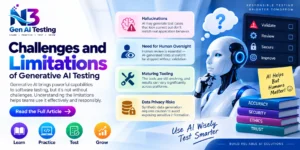
None of this comes free, and anyone selling it that way is skipping the fine print. Generated tests can hallucinate — a model might produce a test case that looks perfectly reasonable but doesn’t reflect how the application actually behaves. Human oversight isn’t optional here. Nobody should ship an AI-written test suite without a second set of eyes on it. The tooling is still maturing too, so results swing more than you’d expect between platforms. Data privacy also deserves real caution whenever synthetic data generation gets near anything resembling real customer information.
Popular Tools and Approaches
Most teams exploring this space land in one of three camps. Some bolt generative features onto automation platforms they already use. Others reach for standalone LLM-evaluation tools built specifically for chatbot and AI-application testing, since that’s a genuinely different job than testing a login form. A third group leans on low-code platforms that let non-technical testers describe scenarios in plain language. Which camp fits you has more to do with what you’re testing than with whose marketing is loudest.
Best Practices for Getting Started
Start small, and resist rolling this out everywhere at once. Pick one test suite, ideally something repetitive and high-maintenance, and pilot a single tool on just that. Keep a human reviewer checking every generated test until you’ve built real trust in the pattern of results, not just a good first impression. Track time saved and defects actually caught. Adoption numbers alone won’t tell you whether any of this is working.
Conclusion
Generative AI testing isn’t putting testers out of a job. It’s changing where their time goes. Reading about it only gets you so far, though, and the gap between understanding these techniques and actually using them shows up fast in an interview. If you’re a QA professional in Hyderabad who wants to build these skills properly, rather than piece them together from scattered blog posts, this Gen AI Testing Institute in Ameerpet walks through these exact techniques with hands-on projects. That’s usually what closes the gap.
N3 Gen AI Testing Course
 Phone: 90321 02017